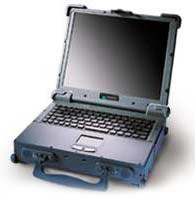
bosss... sony s r really good if u goin for a small 12" or 10" lappie ... but if u want to buy a 14" or 15" ... many other company s give similar or better quality laptops at cheaper rates ...
ibms r best ... else... mostly it doesnt matter wht brand u get ... just pick ur configs... nd get whtvr is cheap ... compaq.. ibm .. toshiba ... dell ... sony ... fujitsu ... whtvr
i want to buy a laptop and my budget is Rs 80 k
so can u help me with best laptop that i can have with this budget
and do any one have any knowledge of SONY vio how it is
welll ... i think whtvr ur use is ... at student level ... even keepin in mind u keep on playing games nd u hav a heavy m'media usage... still 512 ram is enuf ... nd if u thinkin 15.4" is better than 14" ... welll ... it becomes like a mobile desktop ... heavier the lappy ... u wud get fed up carryin it within a mnth or two ... nd it really doesnt make any big difference havin a bigger screen than 14" (but anyways ...its personal choice) .... welll with cd-rw ... nd cds gettin so cheap ... i think 60g hdd is enuf ... unless u using some advanced editing s/w for videos (!!!!!) ....
abt dell... yah it keeps on throwin sale coupons ... u can find those on www.deals2buy.com
thrs a myth ... dell gets heated pretty quickly ... ibm ... as known r really sturdy ...
suchit
see 1 thing when u ask ppl to compare something u need to specify as to what u r looking for exactly in a laptop, is it 3d performance, affordablity? dell 6000 is tops here, gr8 brand name, sturdy build qlty -ibm, or are u looking for something sleek and sexy-sony, i would close my eyes and select the dell(as i have indeed done ) but u might want a sony lappy to impress the girls and u dont mind paying the higher price, so with that point out of the way...
ok i tried to configure all the 3 lappys with almost the same specs and see wat the final price came to, the specs were 1.6ghz pemtium-m, 1gb ram, 80gb hdd, cd writer dvd combo and ofcourse an 802.11 wireless card......
surprisingly the ibm r51 came to just 1248$ without taxes(cheaper than i expected), but it only had a 30 gb hdd so add another 100$ for the 80 gb hdd, again it only has integrated intel grafix chipset, so no gaming on this machine. another thing, the proccy in this ibm has a 400mhz fsb (there are newer one's with a 533 mhz fsb). and the screen is 14.1". so final price after upgrading hdd would be 1348$.
the dell inspiron6000d came to 1760$ , but there was a 20 or 15 %(not sure which 1) discount so the final price came to 1415$ b4 tax, abt 70$ more than the ibm, this one has a 80gb hdd, the newer 1.6ghz proccy with 533mhz fsb, 15.4" screen, 128 mb ati radeon x300 video card, a free color printer rest every thing was same. remember that dell keeps coming out with 600- 700 $ coupons apart frm the 20-30% discounts so generaly u can use a 600$ coupon and bring the price of ur lappy to abt 1100$, this is wat i meant when i said dell was affordable. build qly isnt as good as the ibm, so while it wont breakdown or nething, dont expect it to withstand too many shocks.
and the b100b vaio well.....:whatthat: it came pre configured with a celeron proccy, 256mb ram, 30gb hdd, only a dvd rom no cd writer, no wireless all this for 999$ b4 tax, i decided to change the config selected a 1.6ghz pentium-m again its the 1 with 433 mhz fsb, 1 gb ram, 80 gb hdd, cd writer dvd combo, 802.11 wireless card, and a 6 cell battery (yup u need to separately select a battery as well) and the price came to..... hold ur breath 1940$ (i could buy a f*****g alienware lappy at that price !!! btw it has a 14.1" screen, imo simply too expensive and not really worth it.
again i need 1gb ram cause my usage will be multimedia heavy, am not too concerned abt the looks of my lappy, i need decent build qlty, and a good price performance ratio, sony gets the shaft cause its insanely expensive no justification for that high price, i did not expect ibm to be so competitive with dell in the price, i guess ibm is a good buy, but i think what clinches it for dell is that at a spec to spec comparison its clearly superiror to ibm-> the proccy(400 vs 533 mhz fsb), video card (integrated vs ati radeon), lcd screen 14.1 vs 15.4 and plus the dell 6000 is of widescreen format good for watching dvd's. and if u plan to do any gaming at all u simply cant igmore the grafix card in the 6000. plus the coupons actually bring the i6000's price below the ibm.
so according to me the dell 6000 is the clear winner, unless u have a girlfriend who works for ibm and u dont want to break her heart by buying from their rival. end of report and am off to bed . let me know if there are any mistakes in the prices or the configs that i have mentioned.
my first time posting in this thread and im looking for the cheapest decent config laptop i can find that comes with a dvd-rw drive....coud somebody point me to some deals ..thanx
I am gonna join IIITB this year...They are insisting every one to buy a Laptop from the institute...they also charge 60 K for this....All i know is, thats gonna be a Compaq notebook..I have no idea about the configuration...If any one is having any other facts about this...plz do reply..Should i go in for a market Laptop..Or shall i get it from the institute ?
Lets assume a config...which would b cheaper...IIITB or Out side market (like Richie street...)
Thanks in advance, karthik
it all depends on the config offered by ur college. but i think it will be cheaper to buy it from the institute because u might get a good discount.
34K ACER ASPIRE 3002 Platform Mobile AMD Sempron processor 2800+ with AMD PowerNow! technology, and AMD HyperTransport technology support
Chipset: SiSM760GX
Memory 256 MB of DDR333 memory, upgradeable to 2 GB using dual soDIMM modules
Display 15.0" XGA color TFT LCD, 1024 x 768 pixel resolution
16.7 million colors
Graphics Integrated 3D AGP graphics with up to 128 MB of shared memory
Dual independent display support
External resolution/refresh rate:
2048 x 1536: 60/75 Hz 1600 x 1200: 60/75/85/100/120 Hz 1400 x 1050: 60 Hz 1280 x 1024: 60/75/85/100/120/160 Hz 1024 x 768: 60/75/85/100/120/160/200 Hz 800 x 600: 60/75/85/100/120/160/200 Hz
get n xtra battery ... nd chek out for AMD serivce centers ... how easily they are accessible ... i hav a frnd who had not so good experience with AMD processors ....
34K ACER ASPIRE 3002 Platform Mobile AMD Sempron processor 2800+ with AMD PowerNow! technology, and AMD HyperTransport technology support
Power ACPI 1.0b power management standard: supports Standby and Hibernation power-saving modes
29W Li-ion battery pack (4-cell 2000mAH)1
1.5-hour battery life 2.5-hour quick-charge, 3.5-hour charge-in-use 65W AC adaptor
a frnd of mine wants to buy a lappie in this month....dell inspiron series is a good deal from the US but she doesnt have any relative whos coming this month....the bskool is not offering any bulk deal either...
any gyan on which laptop to buy from India?? the budget is around 55k....i'm not too keen on zenith and acer lappies and centrino is must....plz pour in with info asap
1. Opt for an Intel Pentium 4 or an Intel Centrino processor. The processor forms the computing core of your laptop and is one area where you must not compromise. Invest wisely here. The processor is the first component likely to get outdated and it is not possible to upgrade it. 2. Opt for a 256 MB DDR SDRAM. A RAM of lower memory capacity will make it difficult to run certain applications and software. Upgrading from 256 to 512 MB DDR SDRAM could cost you between Rs 4,000 and Rs 5,000. 3. Choose an Active-matrix (TFT) display, preferably an LCD. The display is an active matrix if you can see the arrow while it traverses the screen. Most displays nowadays are TFTs as the Passive-matrix (dual scan) is now outdated. TFTs are highly preferred because of their sharper images, better resolution and smoother images of motion on the screen. Wide screen laptops are a visual treat and recommended for those interested in the movie experience. But they cost 8% to 10% more than the conventional laptops, are obviously bulkier to carry and slightly low on battery life. 4. If you travel extensively, take care that your laptop weighs under 5 pounds. If your laptop will be confined to your room, you could go in for a slightly heavier one. It will be cheaper. It will also have a few more features. 5. Check the battery life on the laptop. Insist that it is a Lithium-ion (Li+) battery (nearly all laptops will have this one). Choose batteries with a high voltage and a high mAh. Do not go for NiMH batteries, as you will have to keep charging them frequently. 6. If you have no intention of using a CD frequently, an external DVD and CDRW drives may be preferred to inbuilt ones. The main convenience being that they reduce the weight of the base piece and provide lesser complications later on. If they are an integral part of your work, you might as well opt for an inbuilt version. Incidentally, the prices of DVD drives are expected to fall considerably over the next one year. Don't stress on your laptop having a floppy drive. Floppies are getting obsolete by the minute and will soon be terminated. 7. If you are on the move, buy a laptop with a spill-resistant keyboard and shock-resistant hard drives. This will ensure your hard disk does not crash and you don't lose data in the event of a minor crash or fall. 8. Ensure the laptop has two or more USB ports, as you will need them to attach your peripheral devices like printers and scanners. You could even consider buying a pen drive to act as a reliable data transfer mode. Choose a laptop with wireless connectivity in the form of Bluetooth and Infrared. These make data transfer very convenient and reliable and you can send data to multiple recipients at one go. These facilities on your laptop would cost you around Rs 1,000 more and are independent of any service providers. 9. Windows XP Professional is an ideal system for a laptop meant for office use. In laptops, it is very inconvenient to upgrade your operating system, so choose the latest one. Windows is the most popular operating system, with XP Professional being the latest that supports all the software available today. 10. Some people prefer a touchpad mouse as the navigating option while others prefer the rubberised button situated between the keys G, H and B. Try working with both and pick the one you are most comfortable with. Some laptops come equipped with both. You could also consider a cordless mouse, which is half the size of the regular one. 11. Insist on an inbuilt LAN card and modem. There are basically two types of modems on offer -- internal modems and PC card-based modems. Make sure the internal modem is fast enough for your needs. Else, opt for the PC card-based one that sticks out of your computer, but is slightly better performance wise. 12. While budgeting for your laptop, bear in mind that a cheaper machine might prove expensive if you plan to upgrade it. Do not compromise on the processor, the RAM and the operating system. The memory capacity (GB) can be upgraded later on, so can the CD/DVD drives. When you are buying your laptop check on upgradation. You can upgrade your machine with or without discarding it. If you plan to change your machine within two years, don't invest too heavily on it. Cheers, Vicky.
Am not too knowledgeable about laptops...though i have researched a lil n come up wit a basic idea about wat to look for...intel centrino processor,512mb.wifi etc... would like opinions on an IBM R51, Toshiba satellite series and compaq....awaitin ur opinions...
ibm ... wud hav been my priority ... toshiba/compaq... go for whtvr fulfills ur necessity nd is cheaper
suchit
Hello all!
Am not too knowledgeable about laptops...though i have researched a lil n come up wit a basic idea about wat to look for...intel centrino processor,512mb.wifi etc... would like opinions on an IBM R51, Toshiba satellite series and compaq....awaitin ur opinions...
alrite ... will talk abt multimedia related applications later ... will reply to tht in a day ... but rest of the stuff ... i suggested 60 gb hdd coz most of the deals offer it as n free upgrade to 40g ... so the difference u actually calculate is between the price of 40g nd 80g ... mostly 55-70$ ... 512 is 100$-150$(again u mostly get a free upgrade frm 256 to 512MB) cheaper than 1G-RAM ... 14" screen is arnd 25-50$ cheaper than 15 or 15.4 .... the graphics memory card... if not intending for too much of gaming ... 64MB can save u another like 25$ ... making it like250$ (thts like 12k INR)cheaper...!!! ... well all this considering in this thread ppl r mostly interested in buyin lappies for the use of their studies.... nd high-end m'media usage would not be so common ... nd all wrt deals within usa ...
its gettin fun discussin with u ... u made me do a bit of research - which otherwise i wudnt hav done ... increasin my knowledge ...!!!!!!!
suchit.
with laptop ram so cheap in US, and with ram being sold at bargain prices on online stores like newegg.com it makes a lot of sense to go in for more ram at this point of time, and dude, lol for hardcore gaming and photo shopping 512 mb ram is not sufficient at all, if u r buying a lappy from us rite now with gaming as one of the uses in mind u need 1 gb of ram, period. and abt dell lappy's overheating u have said that its a myth and i think its just that, a myth, if u check out notebookreview.com only the 2004 version of the 600m had certain overheating issues, even that has been resolved with the newer 600m's being sold this year. and abt the screen ya like u have said its really a personal choice i was particular abt a widescreen and a dedicated video card it wasnt available on a 14.1" screen so i had to settle for a 15.4" screen, and i dont mind lugging around a 3 kg notebook, if i wanted a ultralight notebook i would pbbly have gone in for a 700m with a 12" screen .
but i really think it makes sense to go in for a 80 gig hdd and 1 gbram considering the fact that u need a lappy to last atleast 2-3years for you and u dont really want tons of cds lying on ur table do u. ( because of lack of hdd space) (cmon the price diff between a 60 and a 80 gig hdd isnt really that big in the US) atleast frm dell.
Just a bit of advice, don't go for this configuration, u'll need extra ram and extra battery for sure which will increase the price to anywhere between 6-8k. Moreover, sempron is significantly slower than centrino and heats up too. For 6K more you can get a centrino from acer only. Although it might be a little low on features, but it'll be a better buy for sure.
34K ACER ASPIRE 3002 Platform Mobile AMD Sempron processor 2800+ with AMD PowerNow! technology, and AMD HyperTransport technology support
guys please read the below once again and tell me if u can fish up any deals for me
PvDdicted Says
my first time posting in this thread and im looking for the cheapest decent config laptop i can find that comes with a dvd-rw drive....coud somebody point me to some deals ..thanx
Both R51 and Compaq M2013AP are equally good you can go for anyone. If you need a very portable lappy, & toshiba is suiting ur budget than go for it, just make sure u buy a centrino one.
And, you know IBM is not IBM anymore, its Lenovo now.
If you need the cheapest one with centrino and DVD-rw go for acer TM 4050/4051
PvDdicted Says
guys please read the below once again and tell me if u can fish up any deals for me
appreciate the input from u..cud u tell me what the downside of going with an dvd rw acer 4050/4051 would be.....what excatly am i losing out on if i choose ot go with tht (to save money and get a dvd rw as well) over brands like compaq, toshiba...and lenovo wit a similar config
Both R51 and Compaq M2013AP are equally good you can go for anyone. If you need a very portable lappy, & toshiba is suiting ur budget than go for it, just make sure u buy a centrino one.
And, you know IBM is not IBM anymore, its Lenovo now.
If you need the cheapest one with centrino and DVD-rw go for acer TM 4050/4051
Well to tell you frankly, thats something even I don't know..configuration wise nothing to lose infact 4150 has better configuration than most of the lappies present in the market, infact the only comparable laptop in the market is an ibm one for arnd 70k.
May be build quality is one, but then i've seen worse laptops from dell and compaq.
The only -ve point is that u'll be getting a lot of remarks from ppl (who obviously don't know anything abt lappies) saying that u could've gone for a laptop from dell/compaq/ibm.
tobeornotobe
appreciate the input from u..cud u tell me what the downside of going with an dvd rw acer 4050/4051 would be.....what excatly am i losing out on if i choose ot go with tht (to save money and get a dvd rw as well) over brands like compaq, toshiba...and lenovo wit a similar config
in short its like .... its very sane tht u get as much as u can in ur budget .... i know dell just keeps on throwin the coupons ... nd tht u find awesome deals for anythin .... precisely electronics on www.dealstobuy.com ...my frnd got a toshiba w/ celeron-m + a wireless router + canon photo printer for 599+ tax ....
abt ram stuff .... welllll .... it seems u r n xtreme gamin person ..... nd i did not consider n xtreme case ... high-speed internet gaming wasnt considered ... considering it maybe a rarer thing in india .... thts y 512 ... else u do need extreme stuff ... more importantly a high speed processor with HT ... high speed fsb ... nd faster RAM ... nd infact u need all ... coz if u compromise with any .... it wud just mar the performance of other superlative parts ...!!!!
i got curious abt ur majors coz me too a multimedia person ... just on opp side of u ...behind the screen ... i m doin my masters in multimedia
One whose cost factor determines that you must buy it carefully.
If you are thinking of going in for a laptop (or a notebook, as it is called among the tech circles), here are a few tips that will come in handy.
3 questions to ask before you buy a computer
1. Opt for an Intel Pentium 4 or an Intel Centrino processor. The processor forms the computing core of your laptop and is one area where you must not compromise.
Invest wisely here. The processor is the first component likely to get outdated and it is not possible to upgrade it.
2. Opt for a 256 MB DDR SDRAM. A RAM of lower memory capacity will make it difficult to run certain applications and software.
Upgrading from 256 to 512 MB DDR SDRAM could cost you between Rs 4,000 and Rs 5,000.
3. Choose an Active-matrix (TFT) display, preferably an LCD. The display is an active matrix if you can see the arrow while it traverses the screen. Most displays nowadays are TFTs as the Passive-matrix (dual scan) is now outdated.
TFTs are highly preferred because of their sharper images, better resolution and smoother images of motion on the screen.
Wide screen laptops are a visual treat and recommended for those interested in the movie experience. But they cost 8% to 10% more than the conventional laptops, are obviously bulkier to carry and slightly low on battery life.
4. If you travel extensively, take care that your laptop weighs under 5 pounds. If your laptop will be confined to your room, you could go in for a slightly heavier one. It will be cheaper. It will also have a few more features.
5. Check the battery life on the laptop. Insist that it is a Lithium-ion (Li+) battery (nearly all laptops will have this one). Choose batteries with a high voltage and a high mAh. Do not go for NiMH batteries, as you will have to keep charging them frequently.
6. If you have no intention of using a CD frequently, an external DVD and CDRW drives may be preferred to inbuilt ones. The main convenience being that they reduce the weight of the base piece and provide lesser complications later on.
If they are an integral part of your work, you might as well opt for an inbuilt version.
Incidentally, the prices of DVD drives are expected to fall considerably over the next one year.
Don't stress on your laptop having a floppy drive. Floppies are getting obsolete by the minute and will soon be terminated.
7. If you are on the move, buy a laptop with a spill-resistant keyboard and shock-resistant hard drives. This will ensure your hard disk does not crash and you don't lose data in the event of a minor crash or fall.
8. Ensure the laptop has two or more USB ports, as you will need them to attach your peripheral devices like printers and scanners.
You could even consider buying a pen drive to act as a reliable data transfer mode.
Choose a laptop with wireless connectivity in the form of Bluetooth and Infrared. These make data transfer very convenient and reliable and you can send data to multiple recipients at one go.
These facilities on your laptop would cost you around Rs 1,000 more and are independent of any service providers.
9. Windows XP Professional is an ideal system for a laptop meant for office use. In laptops, it is very inconvenient to upgrade your operating system, so choose the latest one.
Windows is the most popular operating system, with XP Professional being the latest that supports all the software available today.
10. Some people prefer a touchpad mouse as the navigating option while others prefer the rubberised button situated between the keys G, H and B. Try working with both and pick the one you are most comfortable with.
Some laptops come equipped with both. You could also consider a cordless mouse, which is half the size of the regular one.
11. Insist on an inbuilt LAN card and modem.
There are basically two types of modems on offer -- internal modems and PC card-based modems. Make sure the internal modem is fast enough for your needs. Else, opt for the PC card-based one that sticks out of your computer, but is slightly better performance wise.
12. While budgeting for your laptop, bear in mind that a cheaper machine might prove expensive if you plan to upgrade it.
Do not compromise on the processor, the RAM and the operating system.
The memory capacity (GB) can be upgraded later on, so can the CD/DVD drives.
When you are buying your laptop check on upgradation. You can upgrade your machine with or without discarding it. If you plan to change your machine within two years, don't invest too heavily on it.
What to look for in an assembled PC
Where brands are concerned, do note that the IBM laptop division has been taken over by the Chinese company, Lenova.
HP and Compaq are the same brand when it comes to laptops. The good thing about this brand is that it is in a position to provide good service simply because of an established network of service centres.
Despite all the advice you get, make it a point to test your laptop before purchasing it. Don't just take someone's word for it.
Check if you are comfortable with the interface, the keyboard, the touch pad and the display. After all, it is you who are going to be using it and paying for it.
my say is ... popularity in market goes with quality ... service ... parts everything ... the fact tht 88% of worlds pcs hav intel processor ... is tht they r sturdier ... they hav their customer service better established ... etc... etc ... i dont say amd is not good ... but intel is safer ... but i really hav heard many frustrating comments frm ppl using amd ...
but most improtantly ... if u hav done enuf of research technically nd otherwise ... nd u think its a good deal ... dont think too much abt wht ppl say ...
tobeornotobe
appreciate the input from u..cud u tell me what the downside of going with an dvd rw acer 4050/4051 would be.....what excatly am i losing out on if i choose ot go with tht (to save money and get a dvd rw as well) over brands like compaq, toshiba...and lenovo wit a similar config
 ) but u might want a sony lappy to impress the girls
 , but there was a 20 or 15 %(not sure which 1) discount so the final price came to 1415$ b4 tax, abt 70$ more than the ibm, this one has a 80gb hdd, the newer 1.6ghz proccy with 533mhz fsb, 15.4" screen, 128 mb ati radeon x300 video card, a free color printer rest every thing was same. remember that dell keeps coming out with 600- 700 $ coupons apart frm the 20-30% discounts so generaly u can use a 600$ coupon and bring the price of ur lappy to abt 1100$, this is wat i meant when i said dell was affordable. build qly isnt as good as the ibm, so while it wont breakdown or nething, dont expect it to withstand too many shocks.
 end of report and am off to bed
 . let me know if there are any mistakes in the prices or the configs that i have mentioned.
 dream machine for anyone.